When we think of reptiles, we usually don’t think of dedicated parents
taking care of their offspring – that is a trait more commonly
associated with the nurturing mammals and dutiful birds.
An early aquatic reptile from China did not fit this stereotype, however.
If this truly is the end of tumblr, I’m glad my last days on the site were spent making a viral post about vicious struthiomimids, ranting about Illumination’s shitty Grinch adaptation, and endlessly riffing on Fantastic Beasts and Where to Find More Franchise Money.
In case you’re not aware, Tumblr has recently announced that on the seventeenth of December they’ll start purging all porn and porn-adjacent content on Tumblr. Why does that matter to LWU, you ask? Well, they’re using their bots to identify it, and we’ve all seen how well THAT works. One of my Wander posts even got flagged as sensitive for no apparent reason. What I want to do is reassure you all that I’ve taken steps to back up all of the content on LWU to my hard drive using a tool I was recommended a couple weeks ago. I’m going to continue to do so on a regular basis just in case, so there’s very little chance that my stuff will be lost.
I’m using this one! It condensed my entire blog as of November 20th into one 4.36 gigabyte folder.
Any notes on how to use it? I can’t figure it out.
Okay, so here’s how to do this.
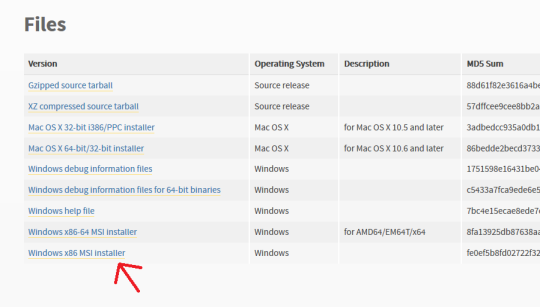
First off, go here and make sure you have Python installed. For Windows it should be the very bottom link, the x86 MSI Installer. You don’t have to do anything but install it.
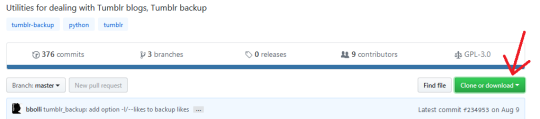
Second, go here, and click “Clone or Download” (the green button on the right). Select “Download ZIP”.
Make sure you have WinRAR or 7zip or something installed that lets you extract zip files.
Next, make a folder on your desktop. I named mine “Tumblr Backup”, and in the following instructions I’m going to assume that’s what you’ve named yours as well; replace “Tumblr Backup” with whatever you name yours if it isn’t.
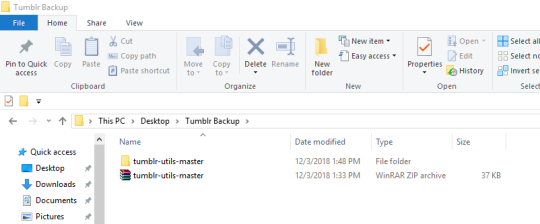
Drop the zip file you downloaded into Tumblr Backup. Go in and extract it; this should create a folder called “tumblr-utils-master“.
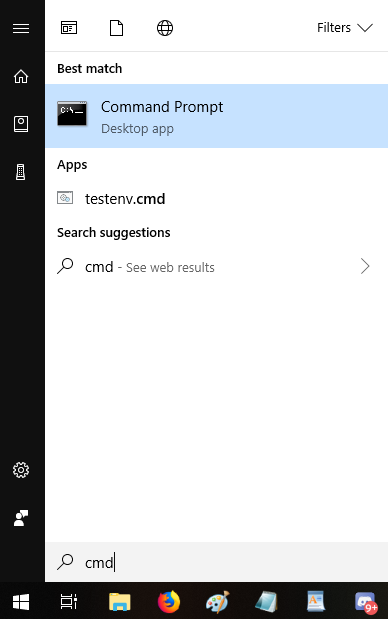
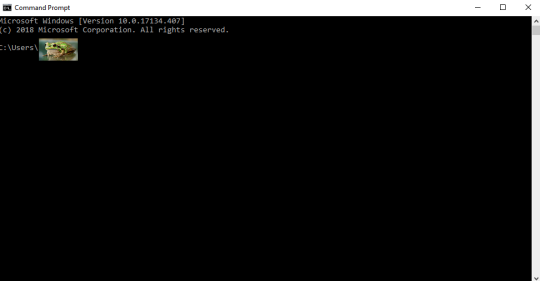
Open your Command Prompt. If you don’t know how to find that, click your start menu button and type “CMD”, which should give you this:
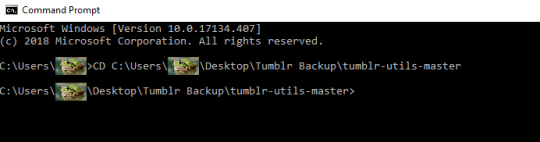
That should open this:
That frog over there is blotting out my profile name on my computer. Whatever your profile name is when you sign in (e.g. “Max” or “Snugglebuns” or “froglord69”) is going to be in that spot on the address path. If it instead says something about Windows and System 32, that’s okay, what I’m gonna tell you to do will go to the right place either way.
Next, input this command–keeping in mind that the parts in bold should be changed based on your profile name and what you named the folder on your desktop:
CD C:Usersfroglord69DesktopTumblr Backuptumblr-utils-master
There! Now you’re in the right folder! Next, enter this command, replacing the bolded bit with your own blog name:
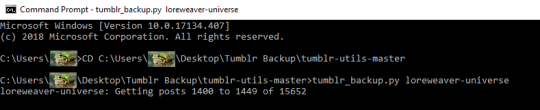
tumblr_backup.py yourblogname
You should see this:
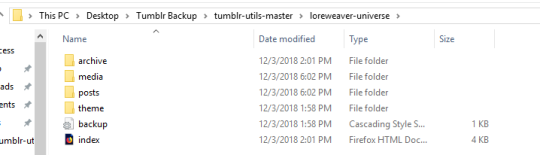
Then just…let it run! It took less than five minutes for my computer, though it will vary by processor and connection. Once it’s done, you’ll have something like this:
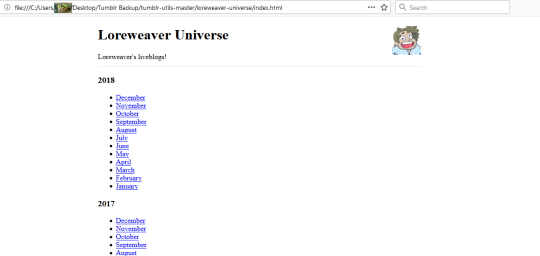
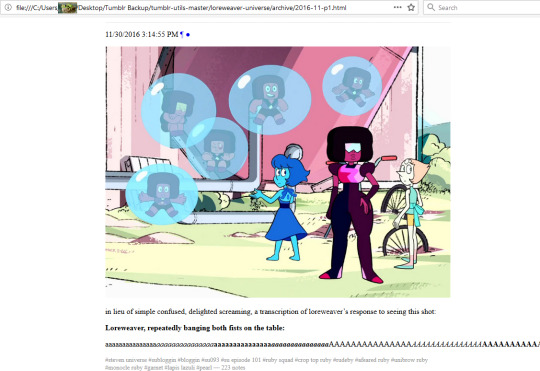
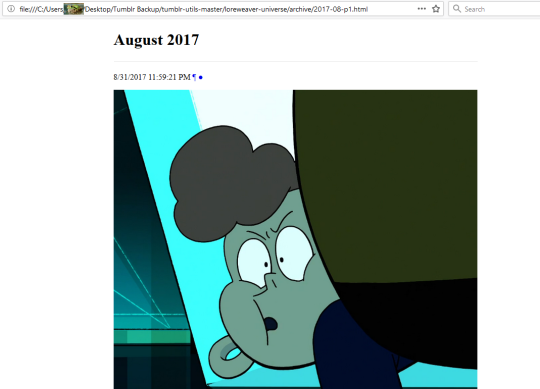
That “index” opens in an internet browser. It’s basically a webpage stored directly on your computer. Some pics of mine:
So…not pretty, but it’ll save the content of your posts. Hope this helps!
I am genuinely curious how they’ll handle the Alec/SW thing. Will Alex appear in flashback after getting ‘spoded, or will he only occasionally be Swamp Thing…
Look, it sounds daft, but that’s one of the things Guillermo del Toro got into an arguement with back when he was making the first Hellboy movie. They wanted Hellboy to look like a regular bloke, and only go all red and horned when he got angry (this is also why blandy blanderson was the de facto protagonist, but Hellboy himself).
It’s kind of up there with that Terry Pratchett anecdote where he was talking to some executives about a potential Mort movie, where they asked if they could loose the “Death angle”. The book, FYI, is about a kid who becomes Death’s apprentice, so, yeah, the “Death angle“ was kind of important.




 Monsters and Stuff